Table of Contents
INTRODUCTION
During a recent modernization project for a long-standing client in the logistics industry, our team was tasked with integrating a legacy ASP.NET WebForms application with a modern third-party auditing tool. The application, a critical component of the client’s supply chain management, was stable but aged, running on .NET Framework 4.7.2. The integration required the application to serve specific XML configuration files to an external agent for automated health checks.
What appeared to be a trivial configuration change—allowing the web server to serve static XML files—immediately escalated into a production-stopping issue. We encountered a situation where adding the standard handler definition crashed the application with a “Duplicate Entry” error. Even more perplexing, attempting to resolve the conflict by removing the handler caused the application’s default landing page, Index.aspx, to return a 404 “Resource Cannot Be Found” error.
This challenge highlights the fragility of legacy IIS configuration inheritance and inspired this article to help other engineering teams avoid similar pitfalls when maintaining enterprise WebForms systems.
PROBLEM CONTEXT
The application in question was a monolithic WebForms platform responsible for tracking shipments and generating reports. The architecture relied heavily on server-side rendering and traditional ASP.NET lifecycle events. Over the years, the web.config had grown complex, with mixed configuration sections supporting various legacy modules.
The requirement was simple: expose an XML file located at the root of the application so the auditing tool could read it via a GET request. By default, IIS (Internet Information Services) often restricts certain file types or relies on specific handlers to serve them. To ensure explicit access, the development team attempted to add a StaticFileModule rule to the system.webServer handlers section.
The goal was to allow XML passthrough without triggering the ASP.NET engine for those specific files, thereby improving performance and compatibility. However, interacting with the <handlers> section in an environment with complex parent-child configuration inheritance led to immediate instability.
WHAT WENT WRONG
The failure manifested in two distinct, contradictory ways depending on how we manipulated the configuration file.
1. The Duplicate Entry Error
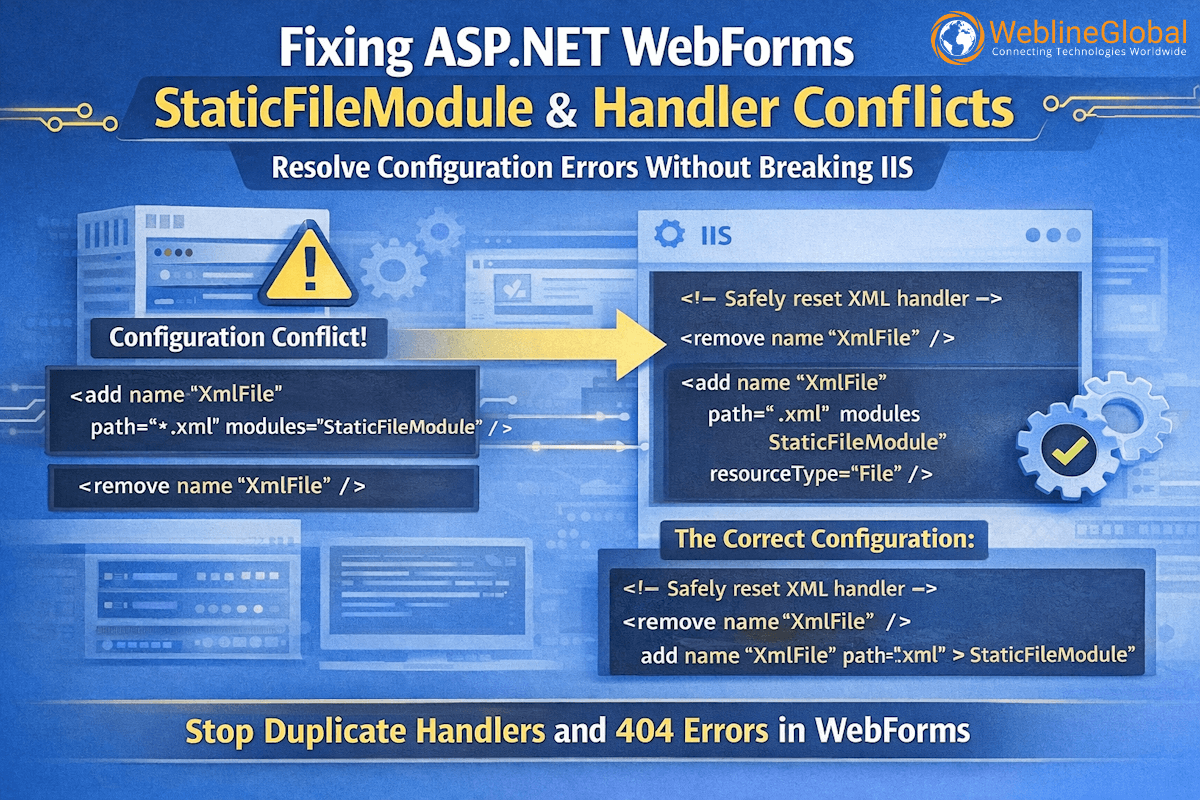
When we added the standard definition for the XML handler:
<add name="XmlFile" path="*.xml" verb="GET,HEAD"
     modules="StaticFileModule" resourceType="File" />
The application threw a configuration exception specifically when accessing Index.aspx:
Cannot add duplicate collection entry of type ‘add’ with unique key attribute ‘name’ set to ‘XmlFile’
This indicated that a handler named “XmlFile” was already defined in the configuration hierarchy—likely in the machine-level
applicationHost.configor a parentweb.config. IIS does not allow two handlers with the exact same name property in the same collection scope.
2. The 404 “Resource Cannot Be Found”
Logical troubleshooting suggests removing the duplicate before adding the custom one. However, when we added:
<remove name="XmlFile" />
The application successfully loaded static resources, but the main entry point, Index.aspx, returned a 404 error. This was the critical anomaly. Why would removing an XML handler affect the processing of an .aspx page?
The root cause lay in the Integrated Pipeline Mode of IIS. When a specific handler is explicitly removed or modified incorrectly, it can disrupt the order of precedence in the pipeline. In this specific case, the removal of the XML handler without a proper re-definition caused the request processing to fall through to a state where extensionless URLs or default documents (like the implicit request to the root folder resolving to Index.aspx) were not being handed off to the PageHandlerFactory correctly.
HOW WE APPROACHED THE SOLUTION
To solve this, we had to look beyond the immediate error message and analyze the IIS handler mappings order. Client needed to hire software developer with deep knowledge of IIS internals to trace the request lifecycle.
Our diagnostic process involved three steps:
- Verify Inheritance: We used the IIS Manager “Configuration Editor” feature to view the effective configuration at the application level. This confirmed that “XmlFile” was indeed being inherited from the root configuration.
- Analyze the Handler List: We examined the order of handlers. In Integrated Mode, handlers are processed in sequence. If a specific file extension match isn’t found, or if a “catch-all” handler is misconfigured, the request fails.
- Isolate the Scope: The error on
Index.aspxsuggested that the configuration change was too broad. The 404 occurred because the<remove>directive was likely being processed, but the subsequent logic to handle the XML file (or the fallback to ASP.NET pages) was failing due to a missing mapping.
The issue wasn’t just about XML; it was about how the web.config changes were resetting or invalidating the module preconditions for the rest of the application.
FINAL IMPLEMENTATION
The solution required a precise reset of the handler within the system.webServer node. We needed to remove the inherited handler to clear the name collision, and then immediately re-add it with the correct attributes, ensuring we didn’t disrupt the rest of the pipeline.
We implemented the following configuration block. Note the explicit removal followed by the addition, ensuring the preCondition is handled correctly (or omitted if the goal is to bypass managed code).
The Correct Configuration
<system.webServer>
  <handlers>
    <!-- 1. Clear the inherited handler safely -->
    <remove name="XmlFile" />

    <!-- 2. Re-add the handler explicitly.
         Note: We ensure this is specific to *.xml to avoid capturing .aspx requests -->
    <add name="XmlFile"
         path="*.xml"
         verb="GET,HEAD"
         type="System.Web.StaticFileHandler"
         modules="StaticFileModule"
         resourceType="File"
         requireAccess="Read" />
  </handlers>
</system.webServer>
Key Technical Details:
- Explicit Removal: The
<remove name="XmlFile" />prevents the “Duplicate Entry” error by clearing the inherited mapping from the machine config. - Resource Type: Setting
resourceType="File"ensures this handler only invokes when a physical file exists, preventing it from interfering with virtual routes. - Validation: After applying this fix, we verified that
/data.xmlreturned the correct XML content and, crucially,/Index.aspxloaded the dashboard without a 404 error.
LESSONS FOR ENGINEERING TEAMS
Configuring legacy applications often reveals hidden dependencies. Here are the takeaways for teams looking to hire .NET developers for enterprise modernization:
- Respect Configuration Inheritance: Always assume a handler exists in
machine.config. Use<remove>before<add>when defining standard file types. - Integrated Pipeline Awareness: In IIS 7+ Integrated Mode, modules and handlers share a unified pipeline. A misconfigured static file handler can inadvertently block dynamic page requests.
- Diagnostic Tooling: Use IIS Configuration Editor rather than manually editing XML when unsure. It shows the “Effective Configuration” which highlights inherited rules.
- Scope Your Changes: If you only need XML handling in a specific subfolder, consider using a
<location>tag or a separateweb.configin that subdirectory to avoid global breakage. - Don’t Guess on 404s: A 404 in a WebForms app after a config change is rarely a missing file; it is almost always a broken handler mapping or routing table.
WRAP UP
Handling static content in ASP.NET WebForms should be straightforward, but legacy configuration inheritance can turn simple tasks into complex debugging sessions. By understanding the IIS pipeline and properly managing handler precedence, engineers can maintain stability while modernizing the stack. If you are looking to scale your engineering capacity with experts who understand the nuances of legacy and modern .NET ecosystems, contact us to discuss your dedicated team needs.
Frequently Asked Questions
In IIS Integrated Pipeline mode, all requests pass through a unified set of handlers. If a configuration error invalidates the handler collection or disrupts the order, the server may fail to delegate .aspx requests to the standard PageHandlerFactory, resulting in 404s or 500s.
You can check the applicationHost.config file on the server or use the IIS Manager's "Handler Mappings" feature. If you see "XmlFile" listed there (usually inherited), you must remove it before redefining it in your application's web.config.
Yes, but use it with extreme caution. removes all inherited handlers. If you do this, you must manually re-add every single handler required for the application (ASP.NET pages, static files, extensionless URLs, etc.), which is error-prone.
Classic mode treats ASP.NET as an ISAPI plugin separate from the IIS core. Integrated mode unifies them, allowing ASP.NET modules to intercept all requests (even for static files). Most modern apps run on Integrated mode, making handler configuration more sensitive.