Table of Contents
INTRODUCTION
While working on a customer engagement project for a mid-sized retail client, our team was tasked with automating order status notifications. The goal was to replace legacy SMS alerts with rich media templates via WhatsApp to improve user experience and deliverability. Given the requirement for rapid iteration and visual workflow management, we chose n8n as the orchestration layer to connect the client’s ERP system with the WhatsApp Business Cloud API.
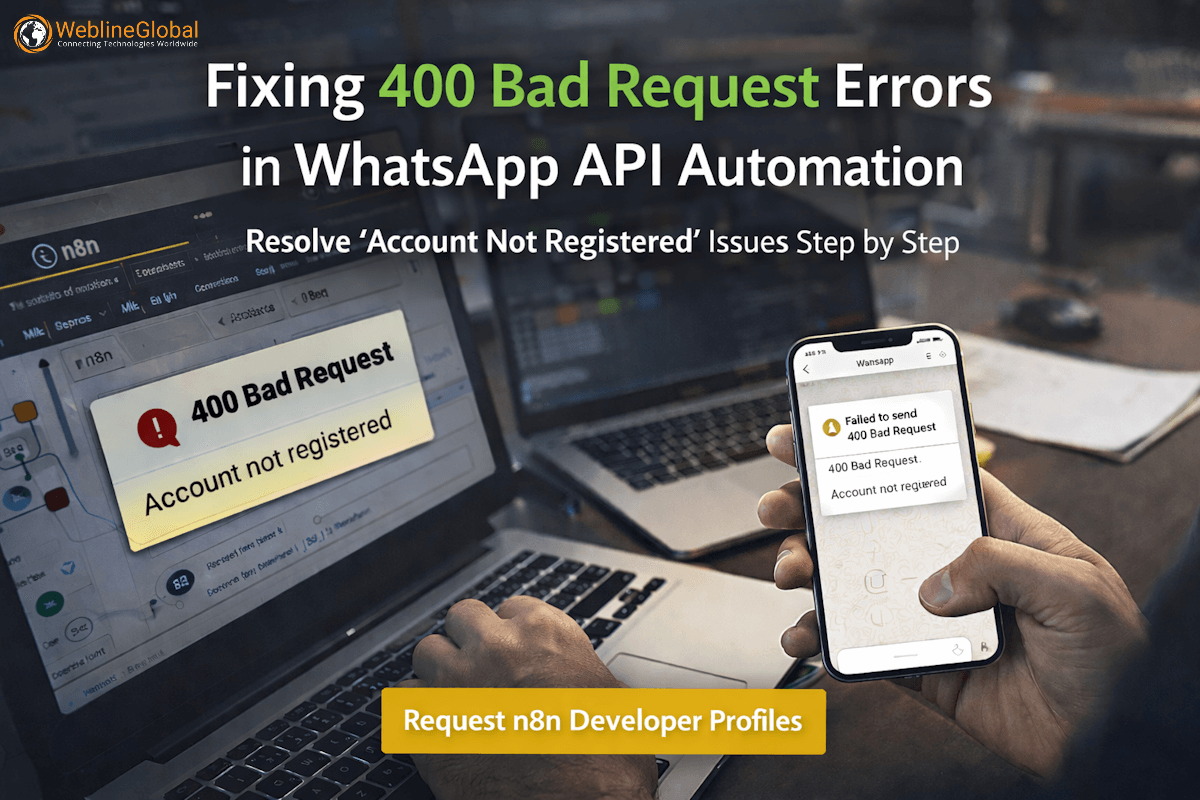
During the initial setup, everything appeared correct. Credentials were validated, templates were approved in the Meta dashboard, and the workflow logic was sound. However, the moment we attempted to switch from the sandbox environment to a live production phone number, the automation failed instantly. We encountered a persistent 400 Bad Request error that halted the entire pipeline.
This challenge—specifically distinguishing between API authentication success and business account registration status—inspired this article. It serves as a guide for engineering teams navigating the nuances of the Meta developer ecosystem while building scalable communication workflows.
PROBLEM CONTEXT
The architecture for this solution was straightforward: an n8n workflow would trigger whenever the ERP system updated an order status. The workflow was designed to:
- Receive a webhook payload from the order management system.
- Format the data into a pre-approved WhatsApp media template.
- Send the message using the
n8n-nodes-base.whatsAppnode.
In the development phase, we used the standard Test Phone Number provided by Meta. This worked flawlessly. However, the business requirement was to send messages from the client’s verified branded phone number. We configured the Meta App, associated the WhatsApp Business Account (WABA), and updated the credentials in n8n.
Despite the Meta App dashboard showing the number as present, the n8n execution log returned a critical failure whenever we attempted to push a template message.
WHAT WENT WRONG
The failure was not in the network layer or the payload structure, but in the sender identity state. The error logs from n8n provided the following details:
{
  "errorMessage": "Bad request - please check your parameters",
  "errorDescription": "Account not registered",
  "errorDetails": {
    "httpCode": "400"
  }
}
Simultaneously, we inspected the WhatsApp Manager interface within the Meta Business Suite. We noticed two critical anomalies:
- The status of the production phone number was listed as “Pending”.
- Unlike previous dashboard iterations, there was no direct “Add Phone Number” button enabled in the specific App settings we were viewing.
The error “Account not registered” is specific. It does not mean the API Key is invalid (which would be a 401 Unauthorized), nor does it mean the template doesn’t exist (which would be a 404 or a specific template error). It means the specific Phone Number ID being used to send the message has not completed the registration handshake with the WhatsApp servers, despite being added to the account.
HOW WE APPROACHED THE SOLUTION
To resolve this, we had to look beyond the code and into the Meta Business asset configuration. The “Pending” status usually indicates that the number has been added to the WABA but has not verified ownership or established the encryption keys required for the Cloud API.
We identified that the client had attempted to add the number manually via the legacy method but had not completed the Two-Step Verification or the OTP registration process required to bring the number online.
In the Cloud API architecture, a number must be “registered” via a POST request or through the manager interface to bind it to the API endpoint. Without this, the number exists in the database but is not active for routing traffic. This is why the API rejected the request with a 400 error.
We realized that modern setups often require using the “Embedded Signup” flow or explicitly triggering the registration PIN via the WhatsApp Manager, which is often buried under the “Phone Numbers” settings in the Business Manager, rather than the Developer App console.
FINAL IMPLEMENTATION
The fix involved finalizing the registration of the phone number and updating the n8n configuration to match the active resource.
1. Completing the Phone Number Registration
We navigated to the WhatsApp Manager (distinct from the Developer App console) and located the phone number. The “Pending” status required us to click View or Register (depending on the UI version).
We triggered the verification process, which sent a 6-digit SMS code to the physical device holding the SIM card (or the virtual line). Once entered, we set a 6-digit PIN for Two-Step Verification. This action changed the status from “Pending” to “Connected”.
2. Updating the n8n Workflow
Once the number was “Connected”, we verified the Phone Number ID. A common mistake is using the Phone Number itself instead of the ID.
We updated the n8n node configuration to ensure the correct ID was mapped:
// Pseudocode representation of the node configuration update
{
  "node": "WhatsApp",
  "parameters": {
    "resource": "message",
    "operation": "sendTemplate",
    "phoneNumberId": "100555...", // Must match the ID from WhatsApp Manager
    "template": "order_update_v2",
    "components": [
      {
        "type": "body",
        "parameters": [
          { "type": "text", "text": "ORDER-12345" }
        ]
      }
    ]
  }
}
3. Validation
We re-ran the workflow. The 400 error disappeared immediately, and the message was delivered. The “Account not registered” error was effectively resolved by completing the registration handshake.
LESSONS FOR ENGINEERING TEAMS
When integrating third-party communication APIs, technical leaders should keep the following in mind. If you are looking to scale these integrations, you might want to hire n8n developers for workflow automation who understand these nuances.
- Distinguish Between Auth and State: A valid access token allows you to talk to the API, but it doesn’t guarantee the resource (phone number) is in a state to receive commands. Always check asset status.
- UI Fragmentation is Real: Meta (and other large platforms) frequently separates Developer settings from Business settings. Configuration often requires checking both the App Dashboard and the Business Manager.
- Production vs. Sandbox: Sandbox numbers are pre-registered. Production numbers require explicit OTP verification and certificate generation (PIN setup) before they can handle API traffic.
- Error Code Specificity: Do not treat all 400 errors as “Bad Syntax.” In this case, “Account not registered” was a state error, not a syntax error.
- Centralized Credential Management: In tools like n8n, ensure that your credential store is updated with the Production ID, which differs from the Test ID.
WRAP UP
Resolving the “Account not registered” error in WhatsApp API integrations often comes down to understanding the distinction between adding an asset and registering it. By verifying the phone number through the proper Business Manager channels, we enabled a reliable notification pipeline for our client.
Social Hashtags
#WhatsAppAPI #APIAutomation #n8n #WhatsAppBusinessAPI #AutomationWorkflows #APIDebugging #MetaDevelopers #WorkflowAutomation #NoCodeAutomation #LowCode #DeveloperTips #CloudAPI
If you are looking to build robust automation workflows or need to hire remote engineering teams for whatsapp business api integrations, we can help. contact us.
Frequently Asked Questions
It typically means the Phone Number ID you are using has not completed the registration process (OTP verification and Two-Step Verification PIN) in the WhatsApp Manager, even if it is visible in your account.
A "Pending" status indicates that the number has been added to the Business Account but has not yet verified ownership via SMS/Voice call or established the required certificate/PIN.
Technically yes, if the System User has access to both assets. However, the Phone Number ID will be different. You must update your code or low-code nodes to use the production ID.
While a developer can help navigate the API logs, this is largely a configuration task in the Meta Business Manager. However, for complex workflows involving dynamic templates, it is advisable to hire backend developers for api integration to ensure reliability.
Yes, n8n is highly capable of handling enterprise logic, provided the underlying API connectivity and error handling are configured correctly by experienced engineers.